Your team, with AAG
Client-scoped answers for every account team
A strategist asks AI about one client, and the answer comes from that client’s own accounts — never another client’s. No login changes hands.

For agencies
Marketing, digital, growth and performance agencies, typically 50–500 people, running work across many independent client environments. AAG lets more of your team use AI on client accounts, one client boundary at a time.
Useful workflows
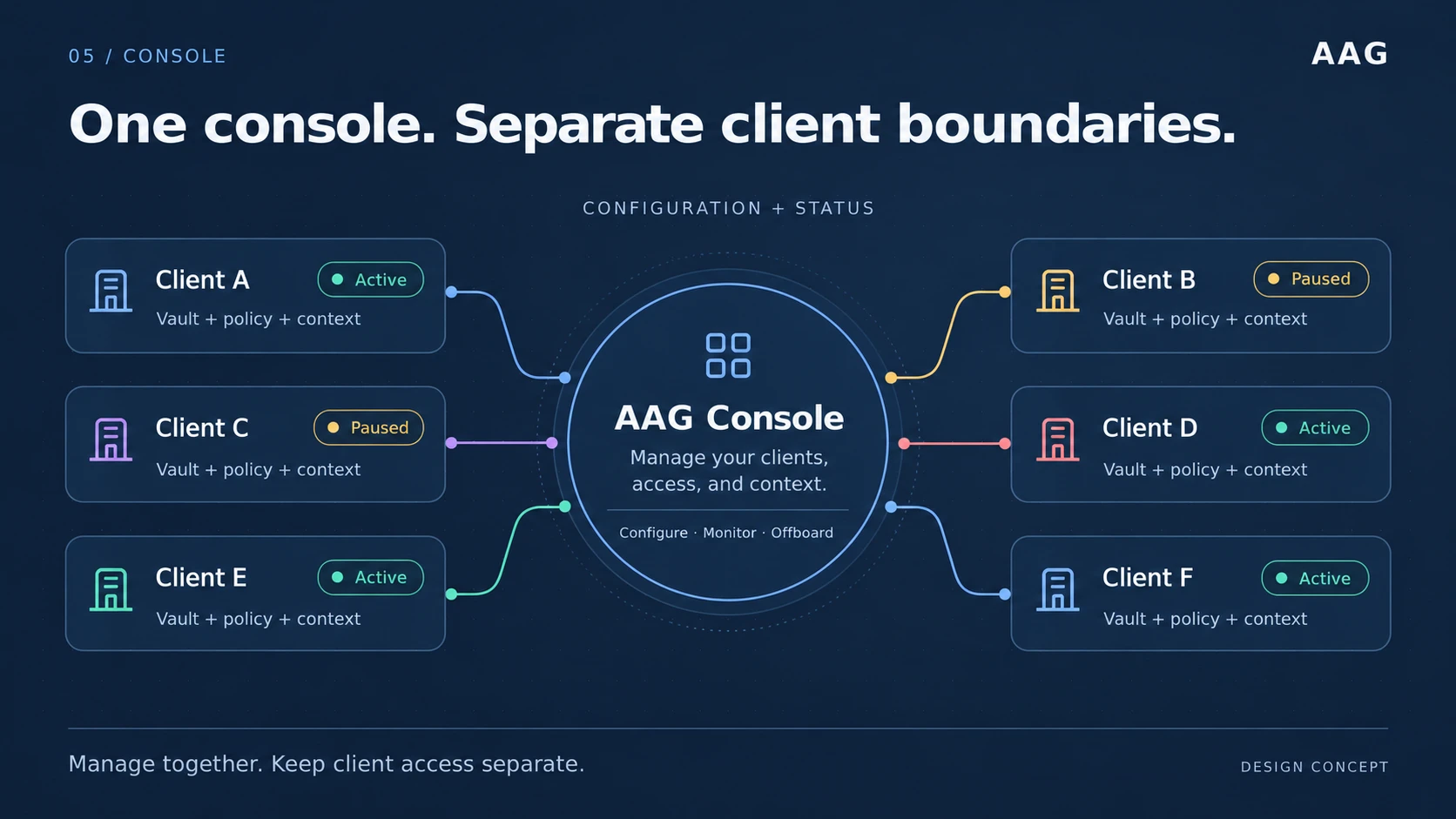
Manage client setup, access and status from one console. Each client retains its own credential vault, policy and record. Central administration does not combine their data boundaries.
Conceptual management view with sample statuses. Live requests are enforced by each client gateway; the console is not the request router. See the actual console demo →
Your team, with AAG
A strategist asks AI about one client, and the answer comes from that client’s own accounts — never another client’s. No login changes hands.
Your agency could build
Regular performance briefings for each client, prepared with AI and reviewed by your specialists. Your agency designs, prices and delivers the service. AAG supplies the client-scoped access underneath it.
A possibility for your agency, not a feature AAG delivers.
Team capacity
Client questions stop waiting on the one person who can reach every account. Specialists keep the judgment; access stays inside each client’s boundary.
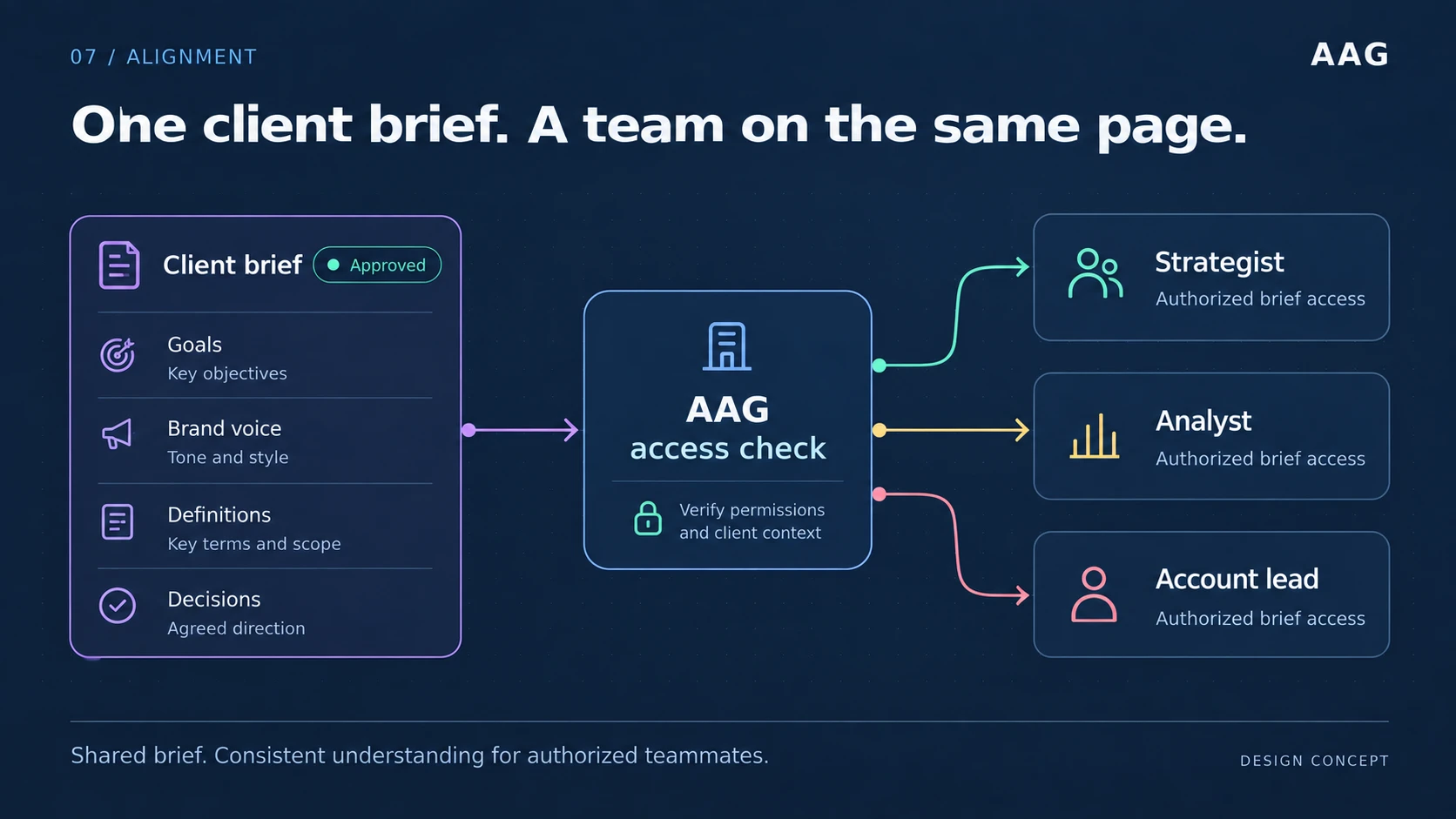
A common brief gives authorized teammates the same goals, brand voice, definitions and agreed direction. Access still depends on the person’s permissions and client scope.
Illustrative team workflow. The roles are examples, not a fixed permission model or a claim of deployed brief-management features. Discuss your team workflow →
Account questions stop depending on the one person who holds every login. People work within the client access they are given, and specialists still review what matters.
When a client asks how their data is separated from other clients’ data, the answer is a boundary you can describe and an audit record you can produce.
Revoke a client’s credentials or destroy its gateway, to stop subsequent access after propagation, while preserving the record of what happened.
One-time credential intake replaces credentials pasted into messages, stored in browsers, or kept in a spreadsheet that outlives the person who made it.
The client boundary is defined in AAG, not in a model vendor’s console, so adding or changing an AI client does not restart your access work.
A service your agency could build
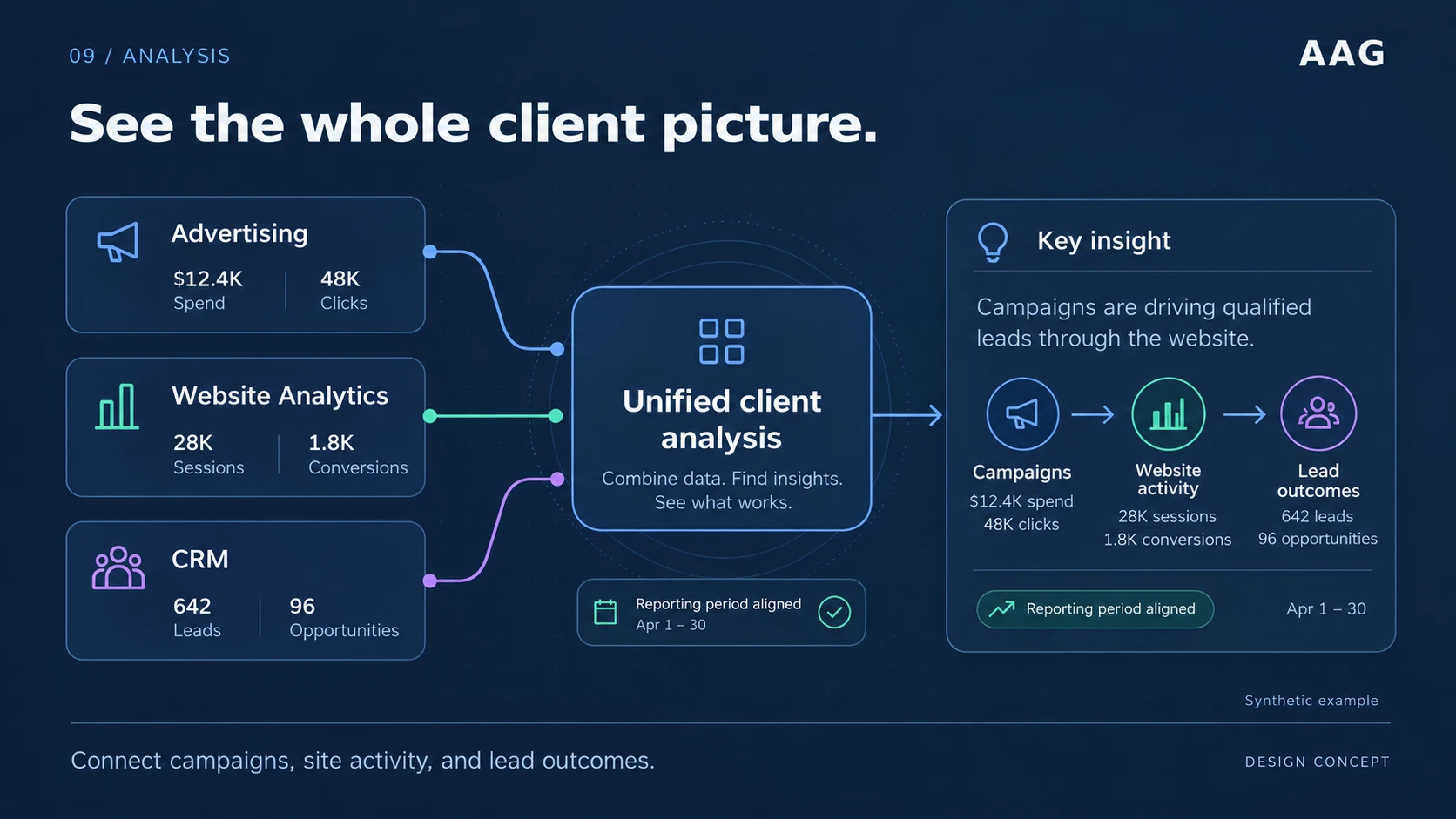
The example connects campaign activity, website conversions and CRM outcomes for an aligned reporting period. It illustrates a service your agency could design on authorized access.
All metrics and conclusions are synthetic. Multiple-source analysis is an agency workflow concept, not a delivered AAG reporting feature or proof that these connectors are available. Review connector status →
Onboarding and offboarding
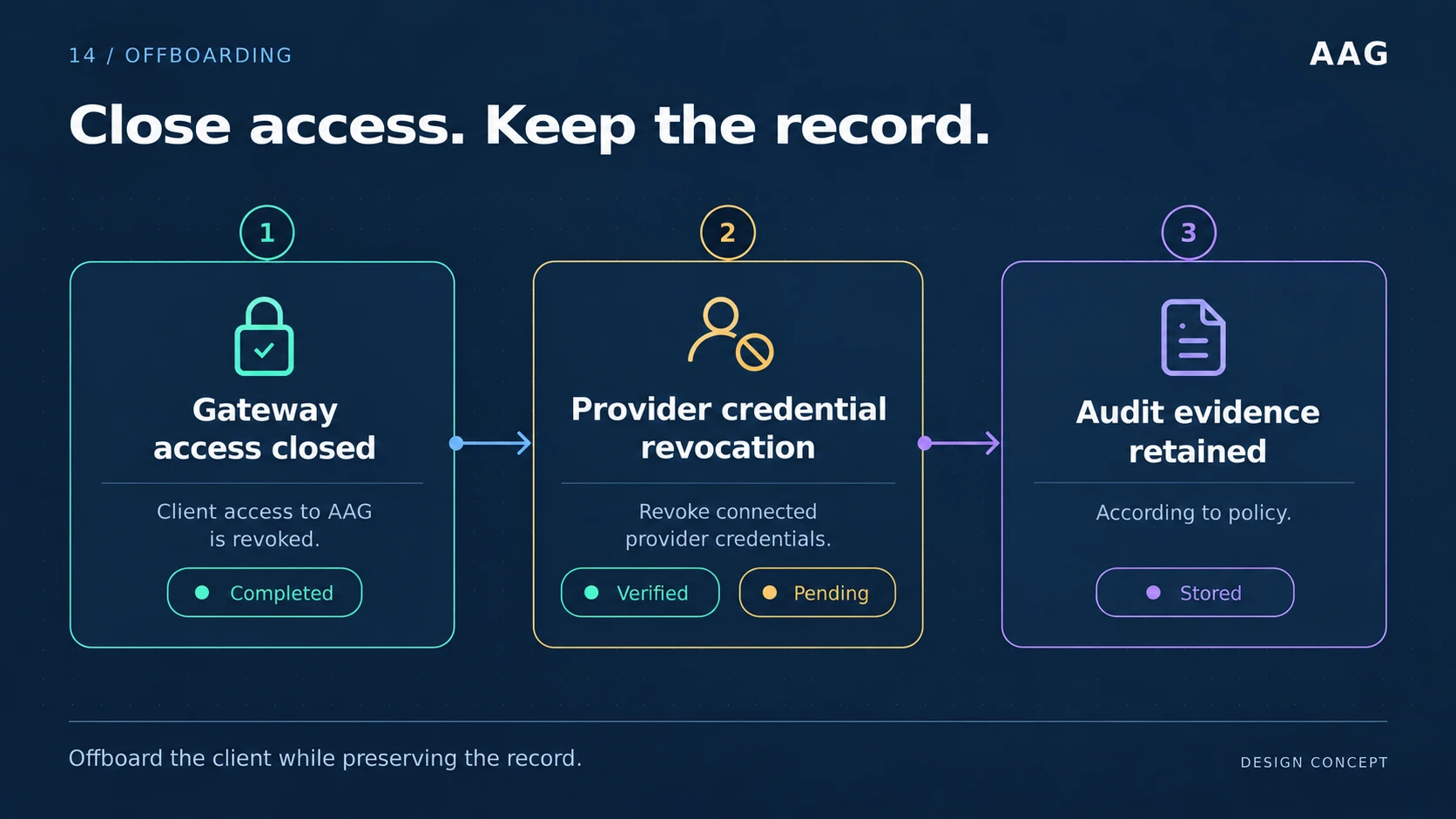
Closing AAG access and revoking credentials at the provider are separate steps. Track each provider’s result, then retain the access record according to the agreed retention policy.
Illustrative checklist. Verified and pending are possible provider outcomes, not simultaneous proof of completion. Revocation must be confirmed for each connection. Explore gateway lifecycle →
Create the client’s gateway. The client authorizes access, and a credential owner submits the credential once through protected intake.
Access follows the client boundary, not whoever holds a login. Suspend a gateway or revoke a credential when something changes.
Revoke the credential or destroy the gateway. Subsequent access is refused after propagation, and the record of past access stays available.
Security-review evidence
Answer with a boundary you can describe and a record you can produce.
Compare ongoing costs and responsibilities for the same number of client gateways, or model a potential client service with your own numbers.
The first step is a short conversation about fit and scope.